Google Business Profile in Dubai: How to Set Up, Verify and Rank on Maps



A Google Business Profile is the free listing that puts your business on Google Maps and in the local results on Search. Google ranks those results on relevance, distance and prominence, and you cannot pay for a better position. To compete in Dubai, list an eligible address, use the name customers already know, verify the profile, complete every section and earn genuine reviews.
Search for a café, a clinic or a car repair shop near you and Google often answers with a map and a short list of businesses. That list is not built from websites. It is built from Google Business Profiles.
Most guides to Google Business Profile in Dubai repeat the same tips and quote statistics nobody can trace. This one sticks to Google's own rules: the ones that decide whether your profile is eligible, verified, ranked or suspended.
It covers setup, the name rule many bilingual businesses break, verification, reviews, fixes for common problems, and how your website and AI search fit in.
In this guide
A Google Business Profile is a listing that shows your business name, location, hours, photos and reviews on Google Search and Maps. Creating one costs nothing: Google's Business Profile page states that creating a profile and listing your business on Google is free.
If customers come to you, or you go to them, you need one. The local results on Maps are drawn from these profiles, and Google's local ranking guide says a verified business is more likely to appear in results. It also says complete, accurate details help people learn what you offer, where you are and when you are open.
A profile does not replace your website. It is the first thing many searchers see, and your website is where they go next. The two work together, as the website section below explains.
Google ranks local results on three factors: relevance, distance and prominence. It says so on its own Business Profile help page, and it adds a line every business owner should read first: there is no way to request or pay for a better local ranking on Google.
| Factor | Google's definition | What you can do about it |
|---|---|---|
| Relevance | How well a Business Profile matches what someone is searching for | Pick accurate categories, fill in every section, describe what you actually sell |
| Distance | How far each business is from the person searching. If they do not share their location, Google uses what it knows about it | Nothing. Your address is your address |
| Prominence | How well-known a business is, based on information such as how many websites link to it and how many reviews it has | Earn reviews, earn links and mentions, keep your website strong |

Distance is the factor you cannot change, so the work goes into the other two. A business that is well matched to the search and well known across the web can still show up for people who are not standing next to it.
Google also says more reviews and positive ratings can help a business's local ranking. Reviews are covered in their own section below, because the rules on how you ask for them matter as much as the number.
A profile needs a real place where you meet customers, or a real area you serve. Google's guidelines for representing your business are specific about what does not count:
If you visit customers rather than receiving them, such as a cleaning company, a mobile mechanic or an interior fit-out team, you are a service-area business. Google asks you to hide your address and set a service area that does not extend farther than about 2 hours of driving time from where you are based. A business with several real locations can have one profile for each location.
Doctors, lawyers and other individual practitioners can have their own profile if they deal with the public directly and can be contacted at the verified location during stated hours. Support staff should not create profiles, and one practitioner should not create several profiles to cover different specialities.
If your address has no street number, Google's pin guide lets you place your business directly on the map instead.
Start at business.google.com/add and choose "Add your business to Google". Google's setup guide then walks you through your details on screen and asks you to choose a verification option. Before you start, search for your business on Google Maps. If a profile already exists, select "Claim this business" instead of creating a second one. If someone else has already verified it, you can request ownership from the current owner.
The first screens look like this, shown here with an example business.
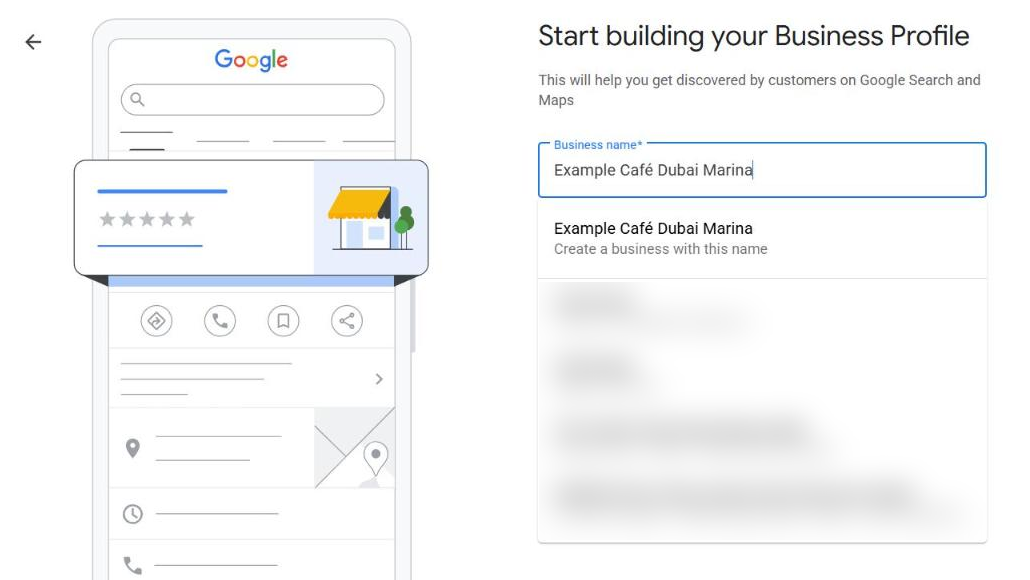
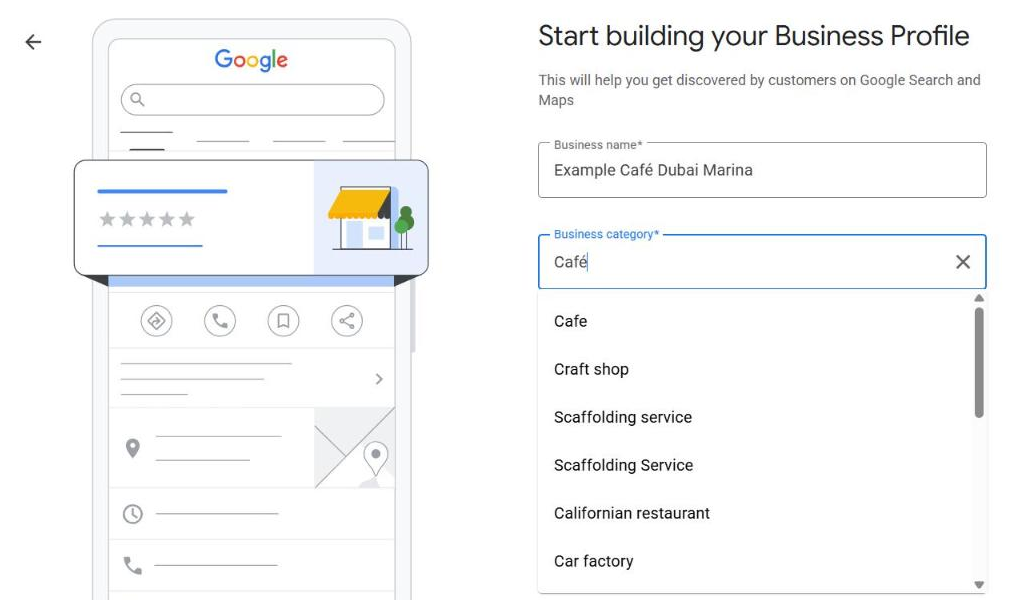
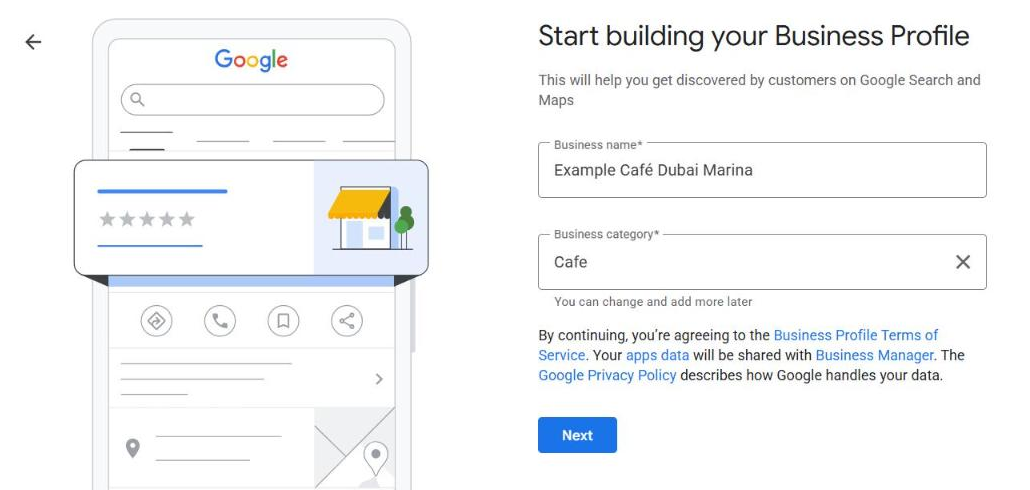
Your name should reflect your real-world name, as used on your storefront, website and stationery and as customers know it. It must not include taglines, store codes, opening hours, phone numbers or website addresses.
One rule matters more in Dubai than almost anywhere else. Google's guidelines do not allow repeating the same business name in multiple scripts or languages, even if it appears that way on your storefront sign. Google's own example: "Burger King" is acceptable, while "Burger King" followed by the same name in Japanese script is not. The same logic applies to an English name followed by its Arabic version.
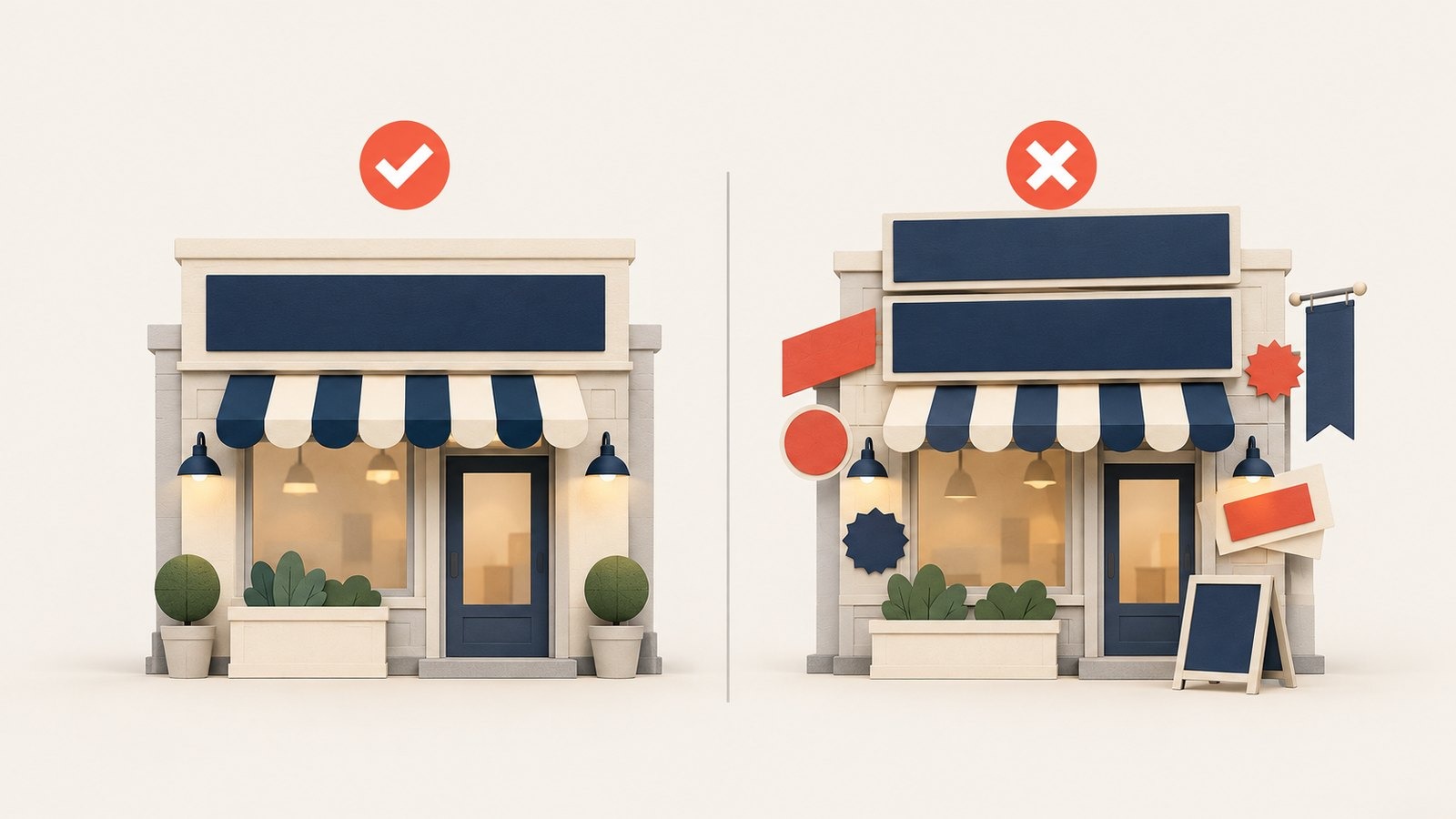
One name, written once, versus the same name repeated in two scripts.
Choose the one name your customers use and enter it once. If you want to be found by people searching in Arabic, that work belongs on your website, with real Arabic pages, not in the name field. Our guide to Arabic SEO in the UAE explains how to do it.
Verification proves you are allowed to manage the business. Google's verification guide lists phone or text, email, live video call, postcard and video recording. You do not get to choose freely: verification methods are automatically determined by Google and cannot be changed. Google does not publish which methods are offered in the UAE, so the options you see when you start are the ones that apply to your business.
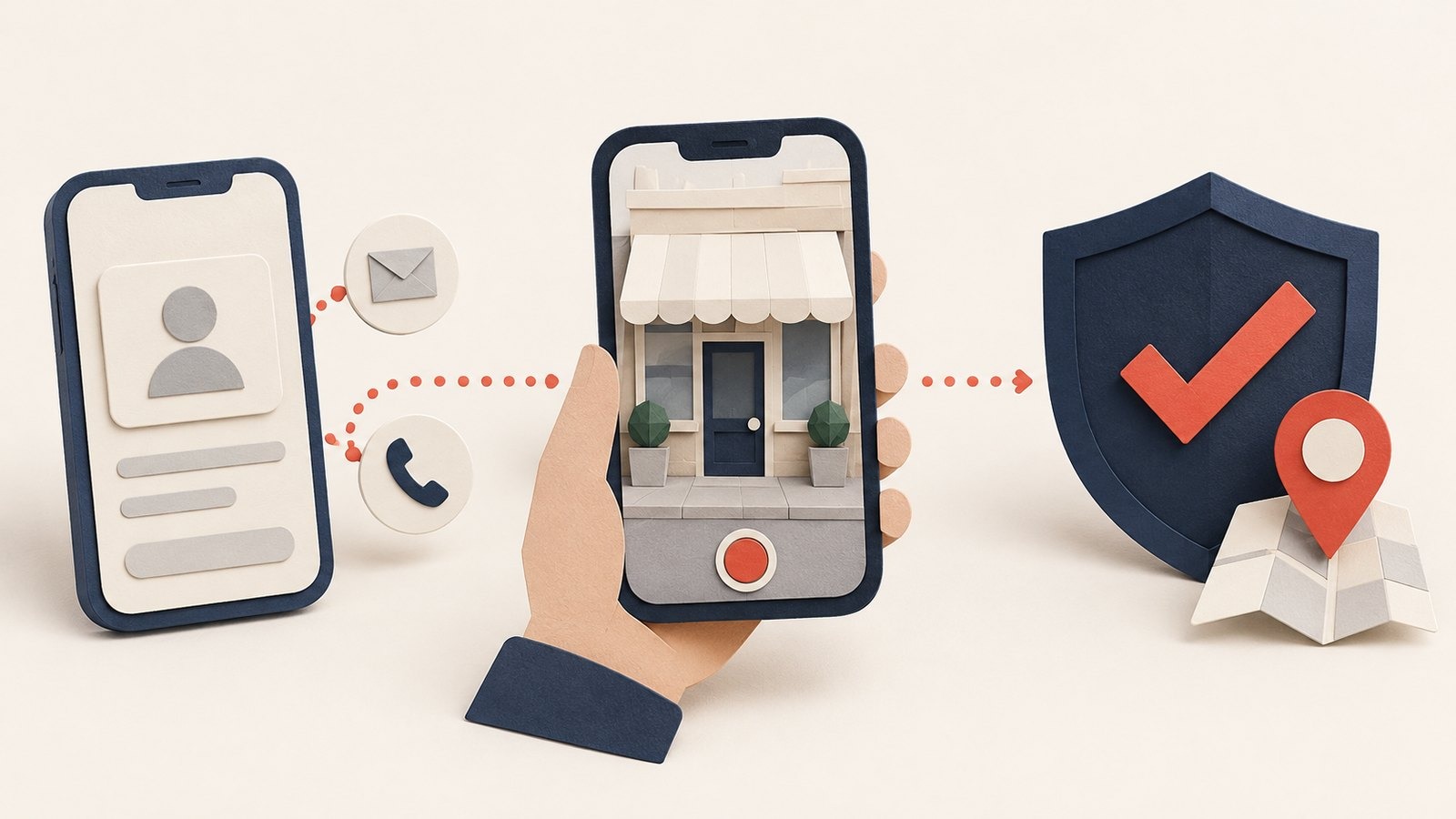
Live video calls are only available within your location's business hours. If you are offered a postcard, most codes arrive within 14 days and expire after 30 days, and you should not edit your name, address or category while you wait, or the code can stop working. Google says verification reviews take up to 5 business days.
If the "Get verified" button appears again, Google could not complete the verification. Try again, or use another method if your profile offers one. If Google asks for more details soon after you changed your business information, select "Get verified" and verify again.
Work through the profile in the order that affects relevance and trust most. Google's ranking guide asks for complete, accurate details, including your address, hours, special hours, category and attributes such as parking or Wi-Fi.

The optimisation checklist: category, hours, attributes, photos, contact details, review replies.
Skip what does not apply here. Showing in-store products on a profile is available only in eligible countries, which Google lists as the US, Canada, the UK and Ireland. Edits usually take about 10 minutes to appear, according to Google's profile editing guide, and in some cases up to 30 days.
Reviews feed prominence. Google says more reviews and positive ratings can help your local ranking, and that thoughtful replies help you stand out. The way you collect them is controlled by Google's Maps user-generated content policy, and breaking it can get reviews removed.
| Allowed | Not allowed |
|---|---|
| Asking every customer for a review, the same way, after a visit or job | Offering payment, discounts, free goods or free services in exchange for a review |
| Replying to reviews, positive and negative | Asking only happy customers, or discouraging negative reviews |
| Sharing your review link on receipts, emails or a printed card | Telling staff to collect a set number of reviews |
| Fixing the problem a negative review describes | Reviews written with a conflict of interest, such as by current or former staff |
The safest routine is simple: ask everyone, make it easy, and reply to everything. A steady flow of honest reviews is worth more than a burst that Google may later remove.
Google can suspend or disable profiles that do not follow its guidelines. The suspension help page sets out the route: open the Business Profile appeals tool, select the profile, review the reason and the policy it links to, then submit an appeal. Google emails you a decision.
Go to your profile, select Edit profile, then Location. Next to "Business location", select Edit, then Adjust, move the map until the pin sits on your premises, and save. The steps are on Google's drop a pin page.
Google's duplicate profiles guide says a profile treated as a duplicate will not show on Search or Maps. You can remove a duplicate you created by mistake without affecting your verified listing, but removing it also removes all its content and linked managers, so check which one you are deleting. Where two profiles exist for the same business, a merge can be requested through Google Maps, and every merge request is reviewed.
Your website helps in three ways. First, prominence: Google counts how many websites link to your business, and those links point at your site. Second, consistency: Google defines your real-world name as the one used on your storefront, website and stationery, so your website should show the same name, address and phone number as your profile. Third, relevance: the page your profile links to should describe the services people search for.
One myth to drop: adding local business markup to your website does not edit or rank your profile. Google's local business structured data guide describes how to tell Google about details such as hours and departments on your site. It does not mention Business Profile at all.
Google's guide to AI features and your website says there are no extra requirements or special optimisations needed to appear in AI Overviews or AI Mode, and that normal SEO best practices still apply. Its short list of those practices includes checking that your Business Profile information is up to date. An accurate, verified profile is part of being visible in AI answers as well as on Maps.
Assistants outside Google, such as ChatGPT, build answers from their own sources. Our guide to getting cited by AI chatbots in Dubai covers that side, and SEO vs GEO explains why you do not need to rebuild your site for it.
Many businesses can set up and verify a profile themselves using the steps above. Outside help makes sense when:
Be wary of anyone who promises a fixed position in the local pack. Google says ranking cannot be requested or paid for. A good agency will explain the work, show you every change made to your profile and report on what it has done. If you want that support, our team handles local SEO in Dubai as part of its SEO service, and our AI SEO service covers visibility in AI answers.
Ask Us Anything!
Yes. Google states that creating a Business Profile and listing your business on Google is free.
It depends on the method Google offers you. Google says verification reviews take up to 5 business days, and postcard codes usually arrive within 14 days and expire after 30 days.
Not a virtual office. Google says a rented mailing address you do not operate from is not eligible. A co-working or business centre office can be listed only if it has clear signage, receives customers during business hours and is staffed by your team.
Not in the same name field. Google does not allow the same business name repeated in multiple scripts or languages, even if your sign shows both. Enter the name once, as customers know it.
A service-area business has one profile with a service area that should not extend farther than about 2 hours of driving time from its base. A business with separate premises in different emirates can have one profile for each location.
No. Google says there is no way to request or pay for a better local ranking.
Google's guidance for AI features lists keeping your Business Profile information up to date among its SEO best practices, and says no special optimisation is needed beyond them.
We use cookies to help you navigate efficiently and perform certain functions. You will find detailed information about all cookies under each consent category below.
The cookies that are categorised as "Necessary" are stored on your browser as they are essential for enabling the basic functionalities of the site.
We also use third-party cookies that help us analyse how you use this website, store your preferences, and provide the content and advertisements that are relevant to you. These cookies will only be stored in your browser with your prior consent.
You can choose to enable or disable some or all of these cookies but disabling some of them may affect your browsing experience.